Welcome to ChildFun…where Play and Learning go Hand in Hand
...where play and
learning go hand in hand!
Home » Articles » The Top Math Apps for Kids: A Homeschool Parent’s Honest Guide
The Top Math Apps for Kids: A Homeschool Parent’s Honest Guide
Somewhere between the third worksheet meltdown and the fourth “do we have to?”, a lot of homeschool parents start eyeing the tablet. Not as a babysitter. As a tool. The right math apps can turn a dreaded part of the day into the part your child asks for.
This is a ranked, tested-in-the-trenches look at the best math apps for kids, written for families who teach at home. Some are free. Some cost real money. Each earns its place differently, so the list tells you who it fits and which basic math skills it targets.
Why math apps deserve a place in your homeschool
Worksheets have their place. But screens are where kids are already motivated, and good math learning apps borrow that energy. When math is the action inside a game, practice stops being a negotiation. The best apps use motivation based learning techniques, like story arcs and reward loops, to keep a reluctant child going.
For homeschoolers specifically, math apps solve three problems at once. They give your child solo practice time so you can teach a sibling or start dinner. They deliver the repetition that builds math skills without you playing drill sergeant. And they hand you data on student progress, so you know exactly which math concepts landed and which need another pass. The best math apps for kids do all three without your child clocking it as school.
How we ranked the best math apps for kids
Every app here was judged on the same things: does it build real math skills, does it hold a kid’s attention, is it honest about price, and does it fit a home setting. This is a ranking of the best math apps for kids for families who teach at home, so classroom-only tools sat lower.
The best math apps, ranked from our favorite down
Here are the best math apps, ranked, with who each one fits.
1. MathHero: the story-driven pick that hooks math-averse kids
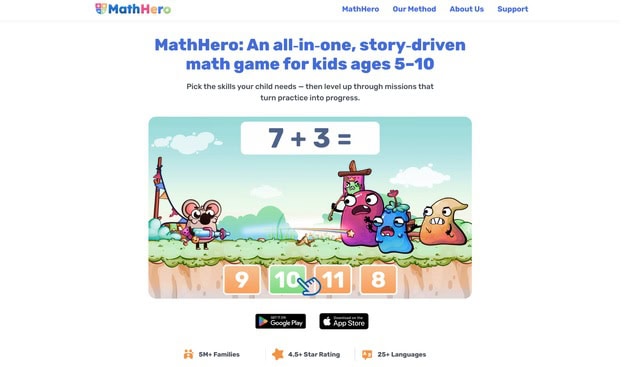
If your child treats math like a chore, start here. MathHero is a story-driven adventure for kids ages 5 to 10, and the whole point is that math never feels like an assignment. Your child rescues characters, races, battles, and collects coins and outfits, and the way they move the story forward is by solving short sets of math facts. Math is the action, not a quiz stapled to a cartoon.
Here is what parents keep repeating: he doesn’t notice he’s learning. The reversal shows up fast, often within a day or two, when a kid who hated math starts asking to play. That is the payoff most math apps for kids promise and few deliver.
The content covers the core mental-math curriculum of the early grades: addition and subtraction within 10, 20, 100, and 1000, times tables, and division. As the child plays, they learn and master these math topics through practice. It assumes your child already recognizes numbers, so it is not where a four-year-old learns to count, and it doesn’t run video lessons. What it does is build skill through structured practice, which is how real fluency is actually earned.
The customization is the feature homeschoolers love most. You pick the operation, drill single times tables (only the times-7 and times-9, say), adjust the monster speed, and switch between typed answers and multiple choice. Siblings at different skill levels can share the same game, which is exactly what a multi-age homeschool needs.
On price, MathHero is genuinely free to finish. The entire game can be completed without paying, with no locked content and no ads. The only limit is pace: five levels per day. A subscription with a free trial lifts that cap. And honestly, five short levels a day is close to how math practice works best anyway, in small regular doses.
Best for: kids who dread math, mixed-age families, and parents who want practice that happens without a fight.
2. Khan Academy Kids: the top free pick for ages 2 to 8
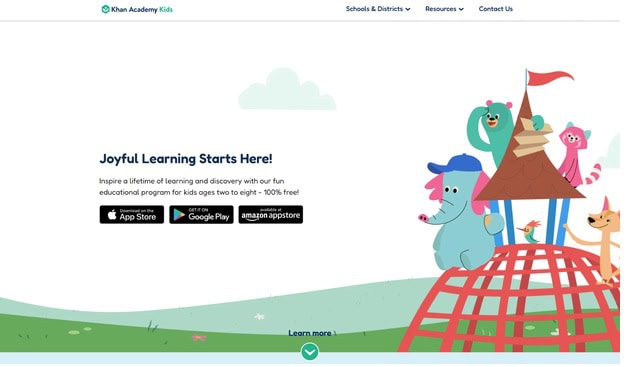
Khan Academy Kids is free, with no ads and no in app purchases, and it is built for ages 2 to 8. That combination is rare. It offers personalized learning paths that adapt to your young learner, covering early numbers, basic arithmetic, and a load of reading alongside the math.
For a homeschool, Khan Academy Kids works as the gentle on-ramp. The pacing is forgiving, and the math concepts arrive with plenty of visual models rather than bare drills. Khan Academy also offers personalized learning resources for all ages beyond the Kids app. If you want a free math app that spans more than one subject and grows with a preschooler into early elementary school, install this one first.
Best for: preschool and early elementary school students, and any family watching the budget.
3. Prodigy Math: a fantasy based math game for grades 1 to 8
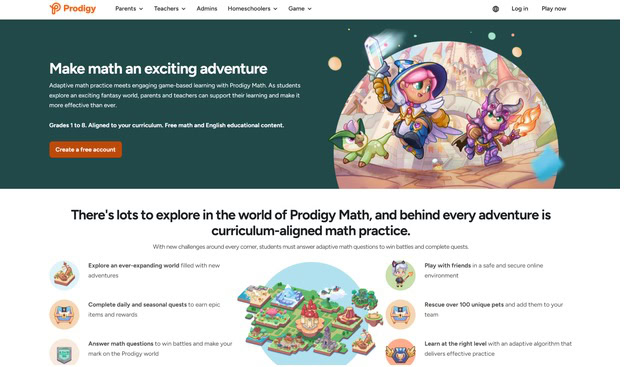
Prodigy Math is a fantasy based math game where kids build a wizard and cast spells by answering math problems. It covers over 1,500 skills from 1st to 8th grade, a serious span, and it leans on adaptive learning to keep each battle near the right skill level.
The free version is playable, and a premium membership starts at $9.95 per month, mostly unlocking cosmetic extras rather than the math itself. Some parents love the game-based pull; others find the in-game store pushy. A parent connect app lets you follow progress and nudge topics. For upper-elementary and middle school students who like role-playing games, Prodigy Math turns drill into something they choose.
4. SplashLearn: a huge library of curriculum aligned math games
SplashLearn, the app many parents still call Splash Math, offers over 4,400 games and worksheets for early learners, aimed at Pre-K through Grade 5. The content is curriculum aligned, so it maps onto standards if your homeschool follows them, and it spans basic math concepts from counting through fractions and basic algebra readiness.
The interactive games are bright and plentiful, with instructional math videos mixed in for concepts that need a little teaching. Progress tracking is solid, which matters when you write the report card. A free tier exists; the fuller experience sits behind a subscription. For a broad, curriculum aligned base of math games across the elementary years, Splash Math is hard to beat on volume.
5. Monster Math 2: adventure play that builds math fluency
Monster Math 2 combines adventure gameplay with arithmetic practice, sending your kid through a side-scrolling world where solving math problems powers the hero forward. It is aimed at math fluency: fast, accurate recall of math facts through repetition that doesn’t feel like drilling.
You can set the grade level and the specific operations, which keeps it useful across ages. The reward loop and light story are motivating, and Monster Math keeps each session short. For a family that wants an interactive game focused on automatic recall of basic arithmetic, Monster Math is a strong, affordable pick, with a multiplayer mode for siblings who like to race.
6. Elephant Learning: fast-tracking math mastery
Elephant Learning takes a different angle. It is a math learning center built around a bold promise: the company claims children learn a year’s math in three months in about 30 minutes a week. The engine leans on personalized instruction and visual models to push conceptual understanding over rote memorizing.
It is pricey at $35 per month, which puts Elephant Learning at the premium end of this list. But the self paced learning and the focus on real understanding win over families chasing math mastery rather than just practice. If your goal is progress improvement you can measure, Elephant Learning is worth a trial.
7. Marble Math Junior: mazes for young problem solvers
Marble Math Junior turns arithmetic into a marble maze. Your child drags a marble through a course, collecting the right numbers to answer a problem before the exit. It is built for younger kids, roughly ages 5 to 8, and it quietly trains problem solving skills and number sense.
The maze format makes Marble Math Junior feel less like a worksheet and more like a puzzle, which suits kids who need movement to stay engaged. There are selectable math operations and adjustable settings to match the challenge to your child. For hands-on young learners, Marble Math Junior is a charming, low-pressure way into basic math concepts.
8. Moose Math: preschool counting made playful
Moose Math engages preschoolers with colorful mini-games run by friendly animals. Kids count, add, subtract, sort, and match while earning rewards to build their own Moose Juice shop. It is free, from the makers of Duck Duck Moose, and it folds math activities into playtime for the youngest end of the elementary range.
For a homeschool with a preschooler or kindergartner, Moose Math is a low-stakes way to build early number sense. The mini-games are short, which fits tiny attention spans, and the whole thing is so much fun that little ones rarely realize they are practicing. Moose Math won’t stretch an older child, but for ages 3 to 6 it is a delight.
9. DoodleMath: adaptive daily practice that meets each skill level
DoodleMath tailors math content based on each student’s strengths and weaknesses, so the daily set your child sees is built around what they actually need next. That adaptive learning is the whole pitch: ten minutes a day of practice exercises pitched at the right skill level, adjusting as your child improves.
It runs about £7.99 per month or £69.99 per year, and it is popular with families who want a steady routine. The practice is bite-sized, with a companion app for parents to track student progress. If you want independent learning your child can do without you hovering, DoodleMath fits the daily-driver slot.
10. IXL: comprehensive math instruction from pre-K to 12th
IXL is the workhorse. It provides math exercises for students from pre-K to 12th grade, carrying a child from early counting through basic algebra and beyond. IXL provides personalized skill recommendations based on diagnostics, pointing each student toward the next useful skill rather than a random set.
This is less a game and more structured practice with real reporting. Subscriptions range from $9.95 to $19.95 per month depending on the plan. For an organized homeschool that wants curriculum-grade coverage and a clear scope from elementary through high school students, IXL earns its keep. It won’t thrill a reluctant learner, but it will document mastery.
How to choose math apps that fit your homeschool
No single app wins for every family. The best math apps for kids are the ones that match your child, your budget, and your teaching style. A few things to weigh before you download.
Match the app to your child’s skill level and grade level
Look for an app that meets your child at the right grade level and moves at their own pace. A good app adjusts difficulty as a child improves, giving feedback fast so mistakes get corrected on the spot. If your kid has real math anxiety, lean toward math games that hide the numbers inside a story, and away from timed math drills or a stack of digital traditional flashcards.
Weigh the style of math instruction
Some apps are pure practice; others fold in instructional videos, virtual manipulatives, and visual models to build conceptual understanding of mathematical concepts, not just speed. If your homeschool needs teaching math from the ground up, an app carrying instructional math videos beats one built only for drilling foundational skills. If your child already grasps the ideas and just needs reps, a fluency-first app enabling students to rack up correct answers does more. Either way, apps that turn math activities into a game tend to stick.
Check the price and in app purchases
Free math apps can deliver real value, and several here cost nothing. Others charge a subscription, and a few sneak in in-app purchases that pester kids mid-game. Read the fine print. A gentle daily cap can be healthier for a young learner than an unlimited app that never says stop. And watch for a dashboard so you can see which lessons students complete and which major math topic still needs work.
A few more apps for kids worth a look
A handful of apps for kids didn’t make the numbered list but deserve a mention.
DragonBox teaches algebra and geometry through puzzles, building logical thinking and basic algebra long before a child realizes they are doing “real” math. It is brilliant for creative problem solving and for older elementary students ready to stretch.
Buzzmath focuses on the middle school years, with a big bank of math problems and detailed solutions. It costs about $20 per month or $120 per year for parents, and it shines for older kids who need structured math learning at a middle school level.
Frequently asked questions about math apps for kids
What is the best free math app for kids?
For most families, Khan Academy Kids is the strongest free pick, since it is genuinely free with no ads and no hidden purchases and covers ages 2 to 8. MathHero is the other standout: the full game is completable for free at five levels a day, which suits short, regular sessions. Both give you real fun math games without a paywall gate on the core content.
Can math apps replace a full math curriculum?
For most homeschools, no. Math apps for kids work best as a supplement that handles math practice and motivation, while your core curriculum handles sequence and depth. A few, like IXL or SplashLearn, are broad enough to anchor a light curriculum, but even those benefit from a parent teaching math alongside them.
Are math games actually good for learning?
Yes, when they are built well. Many children thrive with game-based learning, and interactive games use challenges and rewards to motivate students who would stall on a worksheet. The best math games also build problem solving, not just speed. The catch: the math has to be the action, not a loading screen between cartoons. The best math apps for kids make solving math problems the thing that moves the game forward.
When can young kids start using apps for kids?
Around age three, with the right app. Moose Math and Khan Academy Kids are built for that young kids range and focus on counting and basic arithmetic. Hold off on heavier apps for kids like Prodigy Math or IXL until a child is comfortable with numbers and reading simple instructions.
The bottom line
Start where the pain is. If math is a daily battle, MathHero is built to end it. If you want free and gentle, Khan Academy Kids. If you want depth and reporting, IXL. Pick one, run it for two weeks, and watch your kid before spending another dollar. The best math app is the one they actually open.